 internal intelligence (i.i)
Ask Your Enterprise Data.Get
Answers in Seconds
Answers in Seconds
dataTalk connects ERP, CRM, and enterprise systems to deliver real-time insights. without dashboards or reports.

Built on Microsoft Fabric
GDPR & SOC-2 Compliant
0% Cloud Data Exposure
Live in 30 days
Enterprise-grade secure AI
What is dataTalk?
dataTalk is an enterprise AI layer that connects your ERP, CRM, and business systems to deliver instant answers using natural language — no dashboards, no SQL, no delays.
ERP / CRM /
Data Sources
Data Sources

Insights / Answers
/ Decisions
/ Decisions
From data to decisions
How dataTalk Works
Connect your systems, ask questions, and get instant answers — all in one seamless flow.
01
Connect your systems
- Integrates with ERP, CRM, and enterprise data sources
- No data migration required — works with your existing setup
02
Ask in natural language
- Ask business questions in plain English
- No SQL or technical expertise needed
03
AI processes your data
- Retrieves and analyzes data across connected systems
- Generates context-aware, accurate insights instantly
04
Get instant answers
- Receive real-time insights, reports, and summaries
- Make faster, data-driven business decisions
0 %
Exposure
100 %
Inhouse data processing
Full
Data ownership & control
30 +
Third party integration
5-10 s
Answers in seconds
ENTERPRISE SECURITY
Connect your enterprise data.
Securely and seamlessly
Securely and seamlessly
Connect your data securely with governed access, no duplication, and full control within your environment.
01

Select Data Source
Connect ERP, CRM, and enterprise systems
02

Authenticate Securely
Role-based access with governed queries
03

Ask Questions
Answers generated from secure internal data

Features
How Internal Intelligence (i.i) Powers dataTalk
Natural Language Intelligence
Automatic Visual Insights
Enterprise Connectivity
Internal Intelligence Engine
Copilot Assist
01
Ask business questions in plain English. No SQL or technical knowledge is required.
02
Understands context and maps terms accurately to enterprise data.
03
Queries data across systems for complex business questions.
04
Delivers accurate answers using verified data to reduce errors.
01
Generates charts and KPIs instantly from queries without manual reporting.
02
Analyzes trends across time periods to identify patterns and changes.
03
Allows drill-down from summaries to details for deeper data exploration.
04
Creates presentation-ready visuals and reports for quick team sharing.
01
Connects securely to ERP, CRM, and systems within your environment.
02
Combines data from sources to provide a unified view.
03
Queries data directly from systems without duplication or storage layers.
04
Integrates into enterprise infrastructure with minimal setup.
01
Processes enterprise data efficiently with optimized speed and accuracy.
02
Generates reliable answers using verified data for trusted insights.
03
Enforces role-based access with strong security and compliance.
04
Operates within your infrastructure without exposing data externally.
01
Suggests follow-up questions to guide exploration
02
Identifies patterns and anomalies automatically to highlight key signals.
03
Recommends useful metrics and reports for effective analysis.
04
Guides users through data exploration for better decisions.
COMPARISON
dataTalk vs Other AI Solutions
See how dataTalk compares to typical AI tools for enterprise data access, security, and real-time insights.
| Key Capabilities |

|
Others |
|---|---|---|
| Answers from your live ERP data |
Yes — real-time Dynamics 365 queries
|
Requires additional connectors
|
| No external data exposure |
Fully private, on-premise or tenant
|
Often processed in external cloud environments
|
| No SQL or dashboards required |
Plain English to any ERP query
|
Natural language supported
|
| Cross-domain: ERP + Docs + CRM |
Unified retrieval across all sources
|
Requires multiple integrations
|
| Purpose-built for Dynamics 365 |
Native schema awareness
|
Generic, not system-specific
|
| Role-based access enforcement |
Governed, read-only queries
|
Depends on external system permissions
|
| Answers grounded in evidence |
RAG — retrieval before generation
|
May generate responses without verified grounding
|
| Deployment timeline |
Live in 30 days
|
Setup varies by implementation complexity
|
Connect to all your enterprise data sources
Connect ERP, CRM, databases, and documents — all without moving or duplicating your data.





SEE DATATALK IN ACTION
Ask, analyze, and visualize your
enterprise data in real time
enterprise data in real time
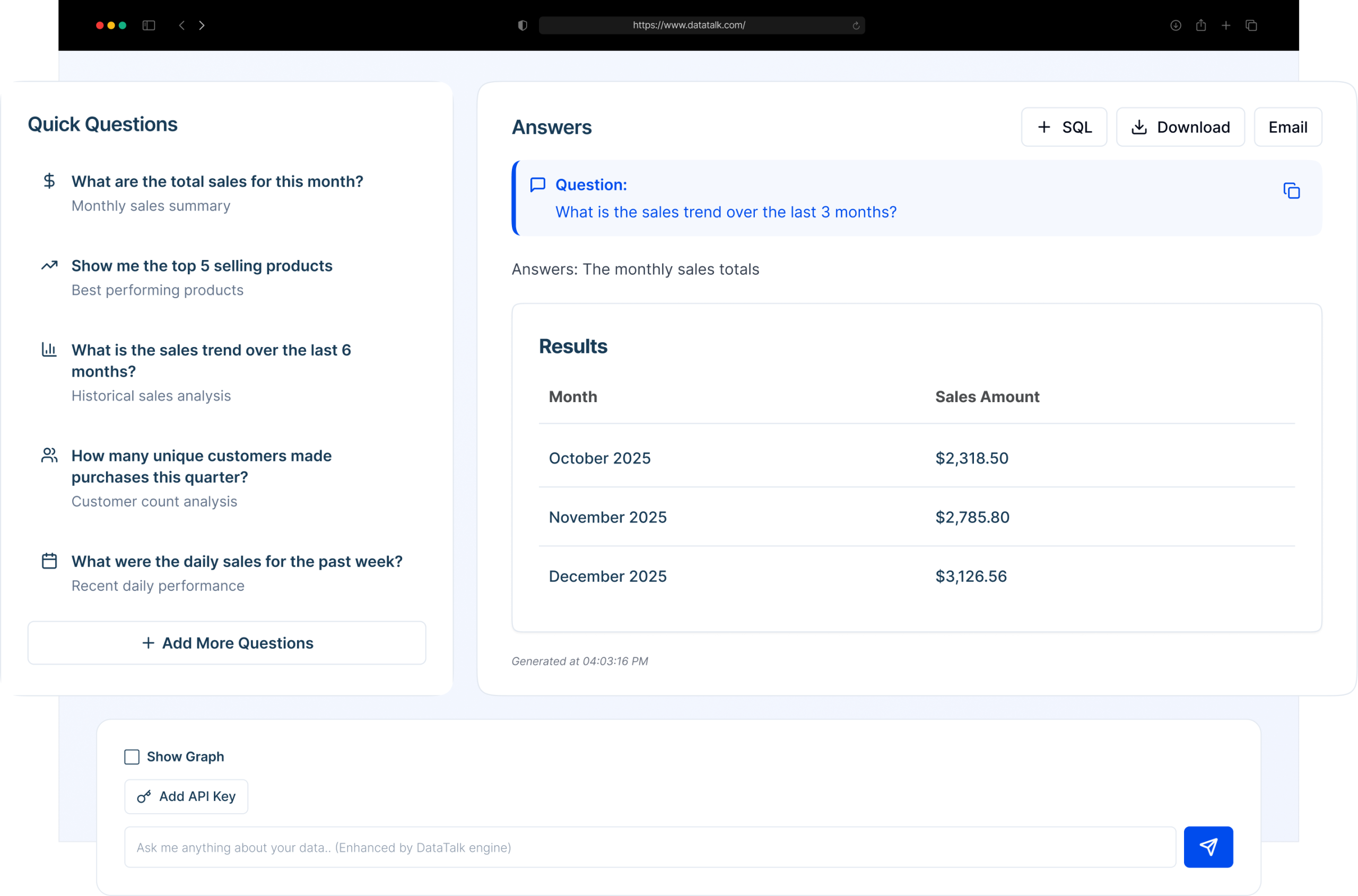
Interact with your enterprise systems through natural language. DataTalk connects directly to your live databases, processes queries through AI-driven models, and delivers precise numerical answers along with charts, KPIs, and insights instantly.
; ?>)
Use Cases
dataTalk adapts to any need with one promise:
Ask and get a reliable answer in seconds!
Ask and get a reliable answer in seconds!
Internal Intelligence (i.i) enables every function to query live enterprise data and institutional knowledge — without SQL, dashboards, or IT dependency.

Sales & Marketing
- Track revenue trends by region, product, or channel.
- Understand high‑value customer segments and cohorts.
- Compare campaign performance and conversion over time.
Much more…

Operations
- Monitor inventory aging and slow‑moving stock.
- Identify bottlenecks in supply chain or production.
- Analyze demand patterns to align stock and capacity.
Much more…

Finance
- Drill into profitability and margin leakage.
- Run period‑over‑period comparisons in seconds.
- Support forecasting with live operational context.
Much more…

Service & Support
- Track ticket volumes and recurring issue categories.
- Monitor SLA performance and response times.
- Identify at‑risk accounts based on support trends.
Much more…
REAL USE CASES
Real business
questions solved by
dataTalk Internal
Intelligence (i.i)
questions solved by
dataTalk Internal
Intelligence (i.i)
From finance to operations, teams use dataTalk to get instant answers from live enterprise data.

What’s the current stock level across all warehouses?
Which items had the lowest margins last month?
Show the top five underperforming products this quarter
Which region generated the highest revenue this quarter?
What are the total sales in the last ten months?
Compare last quarter’s profit with the previous one.
Which category contributed most to total sales?
How many new customers joined us this month?
Try dataTalk with your own data
Experience real-time insights using your enterprise systems in a guided proof of concept.